

Logitech MX Keys Review: The Keyboard You Stop Noticing, Which Is the Point
4 min read
As an Amazon Associate we earn from qualifying purchases. Nobody paid to be on this page; we only list what we would hand to a friend. We have not laboratory-tested these items — we read the specifications and hundreds of buyer reviews, praise and complaints alike, and chose accordingly.
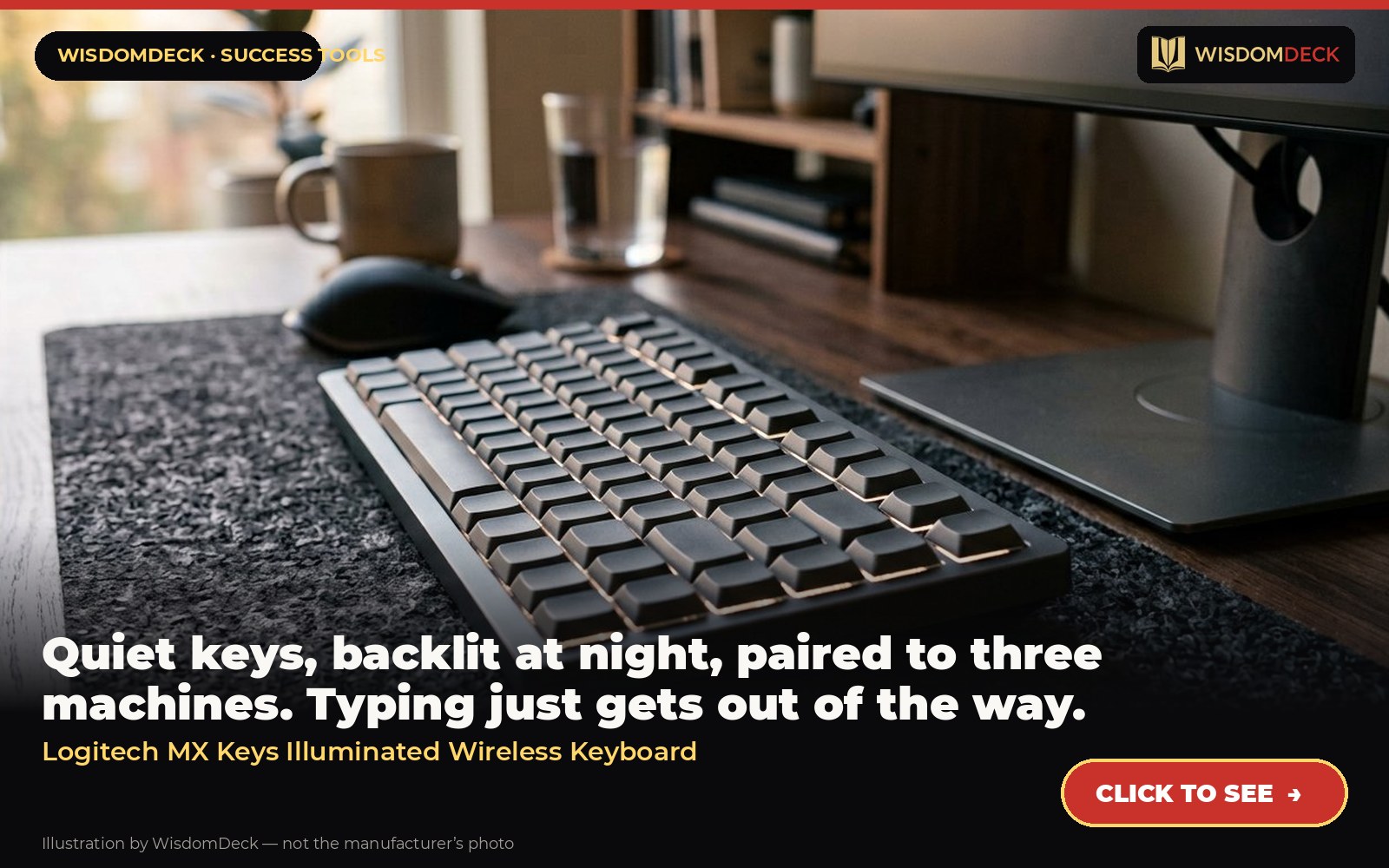
Click hereto see it→Click to see the Logitech MX Keys Illuminated Wireless Keyboard
Quiet keys, backlit at night, paired to three machines. Typing just gets out of the way.
The problem it solves
A writer’s output is limited by friction, and a cramped laptop keyboard is friction all day. A full-size, low-profile keyboard with a quiet, precise key feel and backlighting that wakes when your hands approach lets long writing sessions run without fatigue, and switching between a laptop and a desktop is a single key.
What it is
A full-size, low-profile backlit keyboard that pairs with three devices and switches between them with one key.
From the manufacturer’s own listing, the features that matter:
- Perfect stroke keys: Spherically dished keys match the shape of your fingertips, offering satisfying feedback with every tap
- Comfort and stability: Type with confidence on a keyboard crafted for comfort, stability, and precision
- Smart illumination hand proximity detection and automatic backlighting
- Flow cross computer control: Type on multiple computers in 1 fluid workflow
- Multi device and multi OS: Compatible with Windows, macOS, Linux, iOS, and Android systems – Pair with up-to 3 devices. Easy-switch keys to connect up to three devices and easily switch between them
- USB-C Rechargeable: Full charge lasts up-to 10 days or up-to 5 months with back-lighting off.
- MX Keys Keyboard – 5.1 H x 16.9 W x 0.8 D inch, USB Receiver-0.7 H x 0.5 W x 0.2 D inch, Palm rest-2.5 H x 16.5 W x 0.3 D inch
Who it is for
Anyone typing most of the day who wants laptop-style keys with proper spacing and a number pad.
How to use it in a routine that sticks
Pair it to the work machine and the personal machine so one desk serves both. Place it so the elbows rest at ninety degrees and the wrists float, not lean. Write first thing in the morning on this keyboard with the phone in another room; the physical setup becomes the cue for the writing block.
What buyers say
Praise. Typing feel and the proximity-sensing backlight are the consistent praise; the three-device switch is a favorite with people juggling laptop and tablet.
Complaints. Not mechanical; no height adjustment beyond the fixed slope.
Who should skip it
It is a laptop-style membrane board, not a mechanical keyboard; typists who want deep travel and click will not like it. The full-size version is wide; small desks should look at the Mini version.
Alternatives worth a look
- Furmax Executive High-Back Chair — someone who prefers a padded seat to mesh and wants an office look on video calls.
- Nulaxy Adjustable Laptop Stand — laptop workers with a sore neck by three o'clock.
Verdict
The best quiet office keyboard for people who type for a living. Pairs naturally with the MX Master 3S.
Click hereto see it→Click to see the Logitech MX Keys Illuminated Wireless Keyboard
Two books to go with it
Essentialism by Greg McKeown
Doing less, deliberately — the book to read before buying anything.
Essentialism (paperback) Click hereto see it→
Atomic Habits by James Clear
The clearest guide to making small behaviors stick; read it with a pen and a specific habit in mind.
Atomic Habits (paperback) Click hereto see it→
Links are affiliate links; the price to you is identical. Nothing here is medical or professional advice; these are tools for home office routines, not treatments.
More picks, with pictures
Three tools and three books that fit the same goal. Each has its own full review here, including who should skip it.
As an Amazon Associate we earn from qualifying purchases. Images are our own review cards, not product photos.





Launch list
Be there on day one.
One email when the book opens on Kickstarter. Nothing else. Already reading the book? Your Cheat Sheet is at wisdomdeck.com/free.
Coming soon on 
The book itself — 40 laws in ten parts, 320 pages, each ending with The Work — is funded first on Kickstarter.


